

Tune by describing how it drives.
Say what you feel. GAINS turns it into a precise, typed request, checks it against fixed safety rules, and asks you before anything changes. The engine's real-time control never depends on the phone or the network.
iOS prototype · simulated data It doesn't connect to a car yet. Not on the App Store.
AI suggests.
Fixed rules decide.
Every request, whether it comes from you, the AI or on-ECU learning, is only a proposal. A deterministic policy engine and the ECU itself decide what is allowed. Nothing reaches the engine without passing both.
- 01Ask
You say how it feels.
“Feels flat around four grand under boost. Can you richen it a touch?” Voice or text. Words in, nothing changed yet.
- 02Intent
It becomes a typed request.
The language model (or the offline parser) can only fill a fixed form: what to change, where, how much. Its output is untrusted.
{ goal: "richen_fuel", rpm: [3750, 4500], kPa: [145, 175], size: "small" } - 03Plan
A planner sizes the change.
Six fuel cells, +3.2 % on average, capped at +4 % per cell, built from the last two pulls that ran lean of target.
- 04Policy
Fixed rules decide, not the AI.
The deterministic policy engine checks the envelope, the change class, your role and the car's state. A request for more timing on the street is refused outright.
AllowedFuel +3.2 % · inside envelope · apply when stoppedRefused“Add 4° of timing” while driving · ignition is dyno-only · nothing sent - 05Approve
You approve it, at a stop.
Changes that need a stop wait until the ECU reports the car is stationary. Then you hold to approve.
The approve button stays locked. - 06Read-back
The ECU checks again and confirms.
The ECU re-validates against its own limits, applies it, and reads back what it applied. Undo is one tap.
- Requested
- 6 cells · +3.2 % avg
- ECU limit check
- Pass
- Read back
- Waiting for your approval
Every number that matters.
Lambda against target, always.
Rpm, boost, ignition, knock and coolant, with λ shown against its target so you can see the lean spot the driver felt. About 20 updates a second, drawn at display rate.
The phone only watches. Fuel, spark and boost control run on the ECU and keep running if the phone, Bluetooth or the network drops.
It learns while you drive.
Inside a fence it can't cross.
Fuel learning runs on the ECU, cell by cell, from the onboard wideband. Each cell moves in small steps inside a signed envelope. Ignition stays locked. You decide what gets promoted into the base map.
Amber outlines mark cells that reached the envelope edge. They stop there and are flagged for review rather than pushed further.
Review it like a pro.
Every cell, every reason.
Autotune shows what it has learned and where to drive next. Review lists each change with the evidence behind it. Untick anything you don't want, then hold to apply.
Autotune
Review · try it: untick a row, then hold to apply
A shape, not a promise: the curve shows how the fuel table changes, not a power figure.
One stream.
Every screen in the car.
Phone, an iPad mini on a dash mount, a dedicated GAINS Dash and Studio on the desktop all read the same data. Watch them move together below.
iPad mini · in-car mount · Design · Street, Track and Diagnostics pages, plus Tune and Keypad
Phone · Prototype
GAINS Dash 5 · Concept
GAINS Dash 10 · Concept
Studio on the desktop · Preview · Open the public preview →
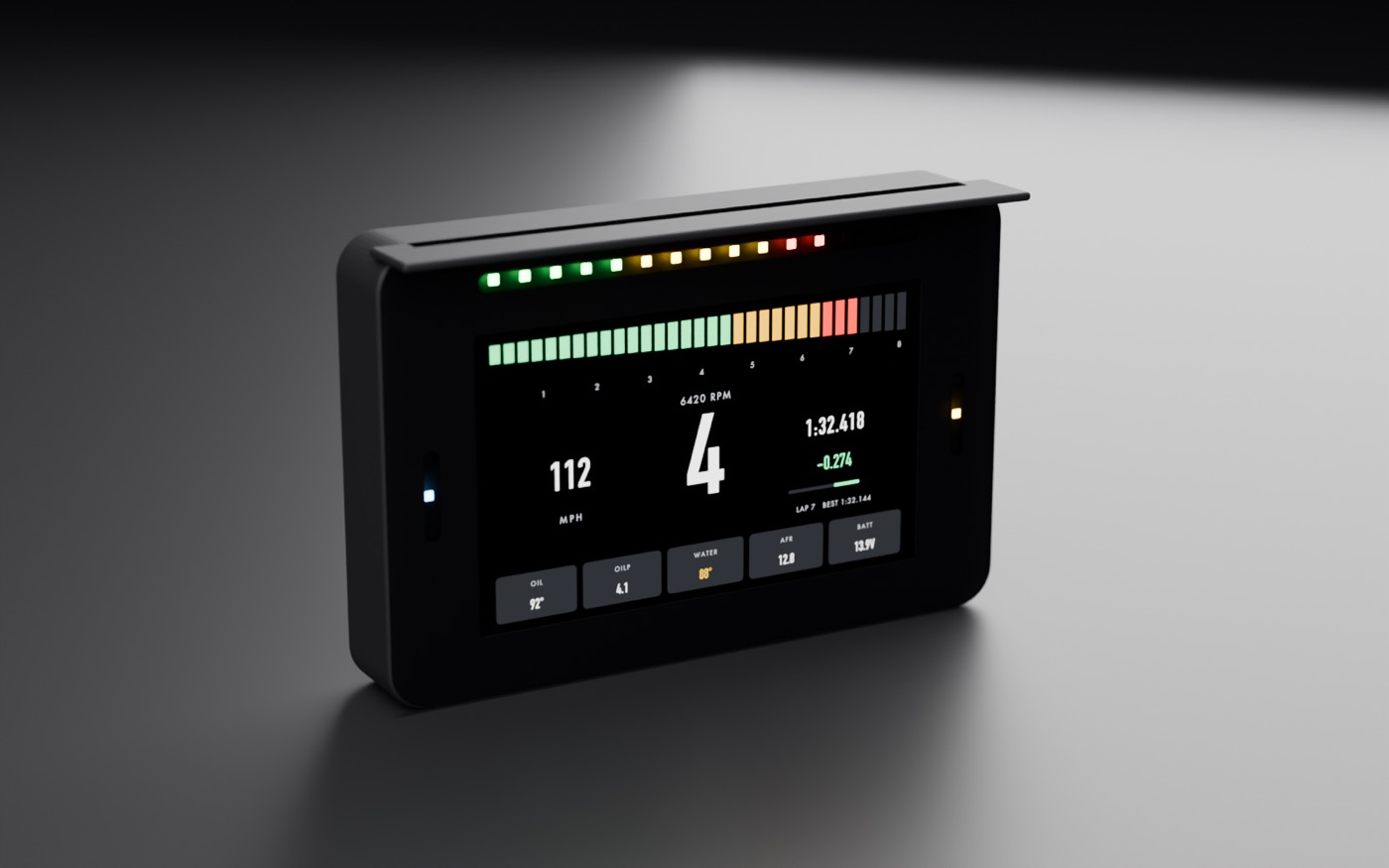
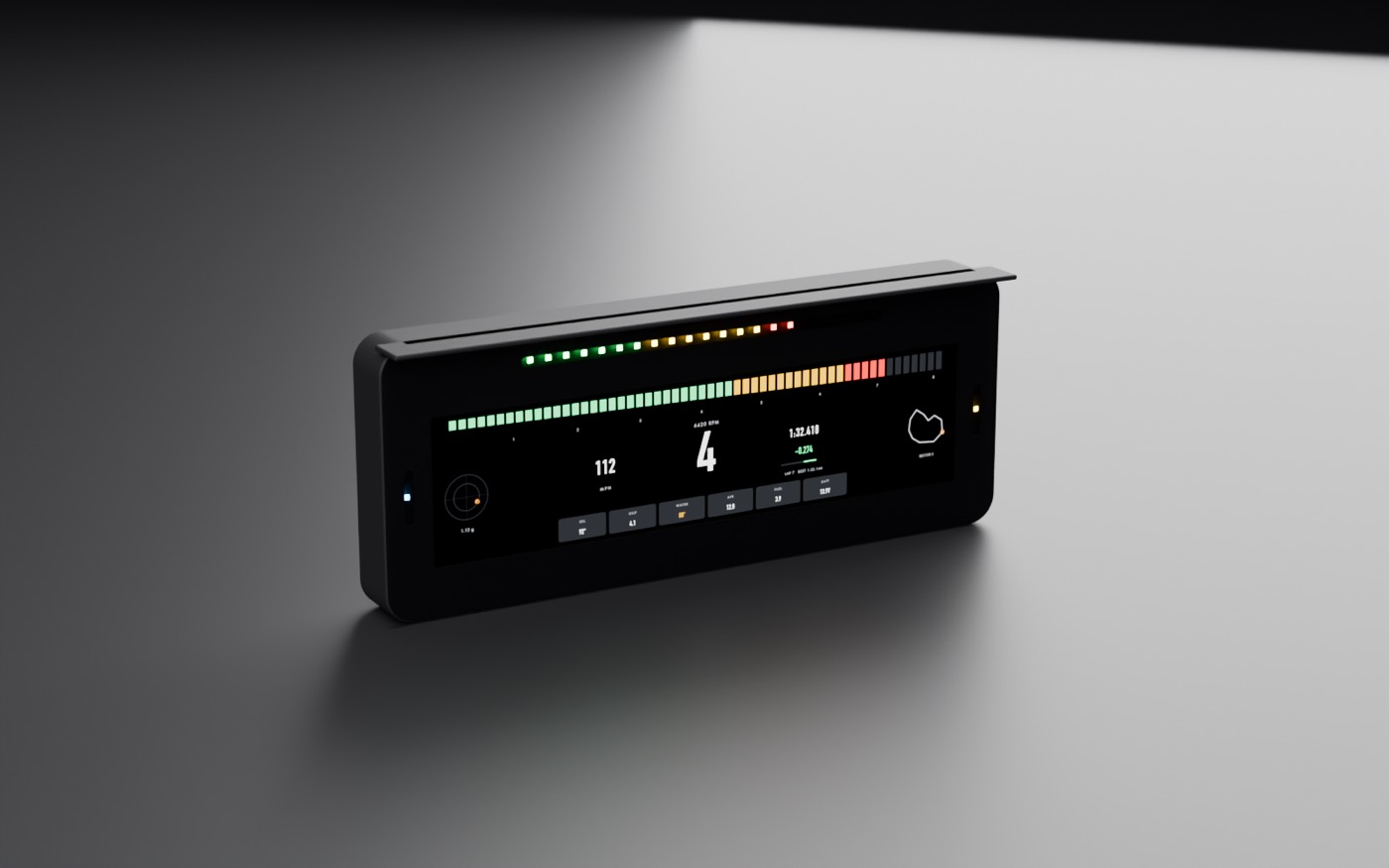
The Dash is a concept: it would take its data over CAN, listen-only to other ECUs, and be set up from the app. No hardware exists yet.
Switch the extras.
Never the essentials.
A digital keypad for the PDM2: launch, traction, fans, lights, wipers. Each output shows its live current. Critical loads are locked: try the fuel pump.
- Allowlist only. You choose which accessory outputs the app may switch, per device.
- Never from the app: fuel pump, ignition, engine-management power, starter, or anything that could cut power while moving.
- The device stays in charge. Its own current limits and fault protection apply whatever the app asks. Every command is logged.
Critical loads stay locked. Only allowlisted accessories switch from the app.
The same keypad on the iPad: illuminated keys with live amps per channel. Latched, momentary (hold the horn) and locked keys. Simulated data
Already have an ECU?
Get advice, keep control.
On other ECUs, GAINS is read-only. It studies your logs and suggests table changes. You apply them in the ECU maker's own software.
- ReadLogs you export, or a listen-only data stream where the maker publishes one.
- SuggestA table of cell changes with sample counts. Thin data is held back.
- You applyCopy the table into your tuning software and apply it there yourself.
GAINS never writes to, flashes or reprograms a third-party ECU.
Where it stands.
Honestly.
The app is an iOS prototype. It runs on simulated data and doesn't connect to a car yet.
In the prototype todaysimulated data
- Ask screen: voice orb and conversation, with typed requests
- Proposals with policy result and hold to approve
- Changes that need a stop wait for the stop
- Live gauges and λ against target
- On-ECU learning heatmap inside its envelope
- Autotune, review and before/after curves
- Garage, Street and Dyno modes gated by ECU state
- Device allowlist: critical loads never switchable
Plannednot built yet
- Bluetooth and Wi-Fi connection to GAINS ECUs
- Keypad and PDM2 control on real hardware
- iPad mini dash layouts
- GAINS Dash 5 and Dash 10
- Advisor mode for other ECUs (read only)
- On-device speech recognition
- AI coach (output always treated as untrusted)
- Data logging, session recording and sync
- Setup and commissioning wizard
- Android and Track mode
Drive it. Describe it. Approve it.
Join the waitlist for the first GAINS ECUs and the app that comes with them.
All screens on this page show synthetic data from a built-in simulator. The app is an iOS prototype and is not available yet; the iPad layouts are designs, the GAINS Dash is a concept and Studio is a public preview.